
Laptop Reliability Finder
Select the scenario that best describes your daily laptop usage to see the most reliable recommendation.
Recommended Match:
Quick Specs:
Buying a laptop feels like a gamble. You spend a thousand dollars or more, hoping the hinge doesn't snap in six months or the motherboard doesn't fry during a software update. Most brands promise "premium quality," but there is a massive gap between a laptop that looks fancy in a store and one that actually survives three years of daily commuting and spilled coffee. If you want a machine that doesn't end up in a repair shop every winter, you need to look past the spec sheet and focus on build materials and thermal management.
Quick Verdict: The Reliability Leaders
- Apple: Best overall build quality and tightest hardware-software integration.
- Lenovo ThinkPad: The gold standard for keyboard durability and ruggedness.
- Dell Latitude/XPS: Strong enterprise support and high-quality chassis.
- Framework: The winner for long-term sustainability via easy repairability.
What Actually Makes a Laptop Reliable?
Reliability isn't just about whether a laptop survives a drop. It's a combination of thermal efficiency, component quality, and how the company handles updates. A laptop that runs too hot will degrade its battery and processor faster, leading to "random" crashes after a year. That's why we look at the chassis material-magnesium alloy and carbon fiber generally outlast cheap plastic.
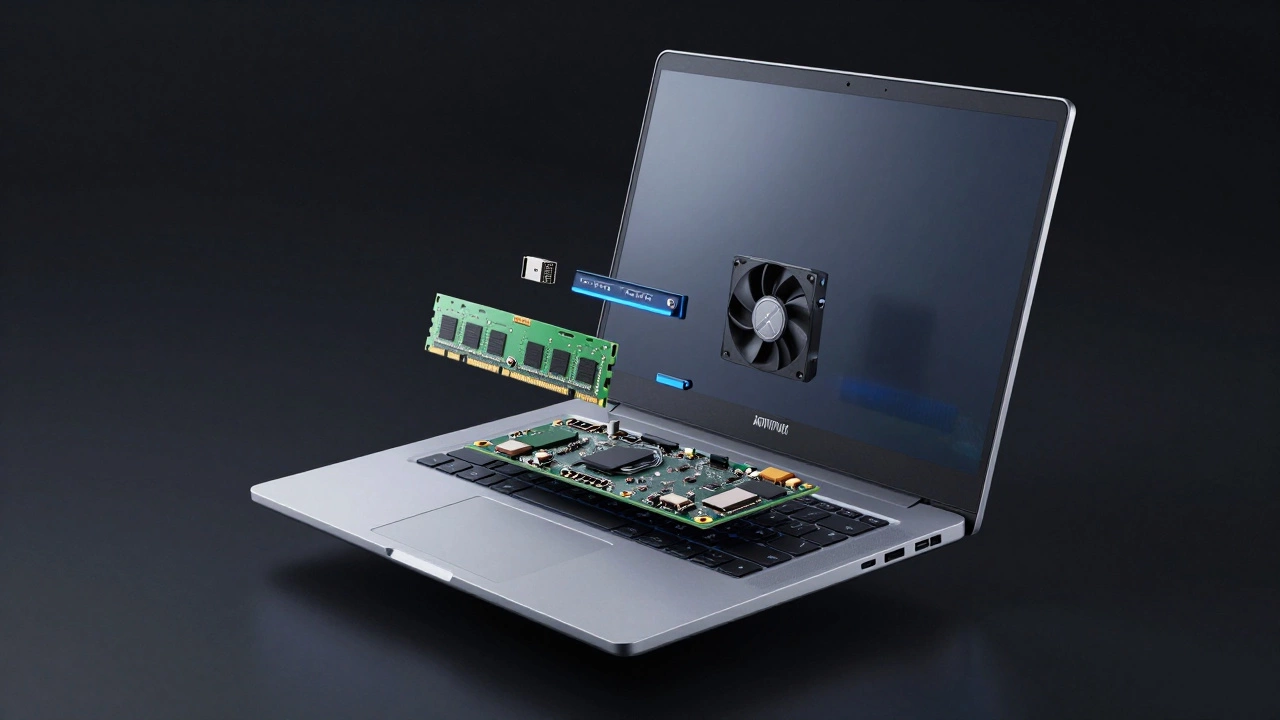
When we talk about most reliable laptop brands, we're looking at the failure rate of the motherboard, the screen's tendency to develop dead pixels, and whether the keyboard wears down to nothing. For instance, a laptop with a soldered RAM chip is technically less reliable over a decade because if one stick fails, you have to replace the entire board. A modular design, on the other hand, lets you swap a failing part in ten minutes.
Apple: The Integration Powerhouse
For most people, Apple is a technology company known for its tight integration of hardware and software, particularly with the MacBook line. The transition to Apple Silicon (M-series chips) changed the reliability game. Because these chips run so cool, the fans rarely kick in, and there's less heat stress on the internal components.
If you use a MacBook Pro, you're getting a unibody aluminum chassis that doesn't flex. This prevents the motherboard from bending, which is a common cause of failure in cheaper plastic laptops. However, the "reliability" here comes with a catch: repairability. If a keyboard fails out of warranty, you aren't fixing it yourself with a screwdriver; you're sending it to a genius bar. They are reliable until they break, at which point they are expensive to fix.
Lenovo ThinkPad: The Corporate Tank
If you've ever worked in a corporate office, you've seen a Lenovo ThinkPad. These machines are business-oriented laptops designed for durability, often meeting MIL-STD-810H military standards. This means they've been tested against humidity, extreme temperatures, and vibration.
The T-series and X1 Carbon models are legendary for a reason. They use carbon-fiber reinforced plastics and magnesium alloys. The keyboards are spill-resistant, and the chassis is designed to absorb impact. While an Apple laptop is like a piece of jewelry, a ThinkPad is like a hammer. It's built to be used harshly every day. If you travel frequently or work in dusty environments, this is usually the safest bet for longevity.
Dell: The Balance of Consumer and Enterprise
Dell plays a double game. Their Dell XPS line targets the high-end consumer market with stunning displays and CNC-machined aluminum. These are reliable, but they often push the limits of thinness, which can lead to thermal throttling if you're doing heavy video editing.
For true reliability, the Dell Latitude series is where the value lies. These are the workhorses of the business world. The real advantage with Dell isn't just the hardware-it's the ProSupport ecosystem. In many regions, they offer next-business-day on-site repair. Reliability is great, but a company that sends a technician to your house the next morning to swap a motherboard is a different kind of reliability.
| Brand | Primary Material | Key Strength | Main Weakness |
|---|---|---|---|
| Apple | Aluminum | Thermal Efficiency | Hard to Repair |
| Lenovo (ThinkPad) | Carbon Fiber/Magnesium | Physical Ruggedness | Dated Aesthetics |
| Dell (Latitude) | Plastic/Aluminum | Enterprise Support | Variable Build Quality |
| Framework | Aluminum | User-Replaceable Parts | Bulkier Design |
The New Contender: Framework and the Right to Repair
We need to talk about Framework. They aren't the biggest brand, but they are redefining reliability. Most laptops follow a "planned obsolescence" model. Once the battery dies or a port breaks, the machine is essentially e-waste. Framework builds modular laptops where every single component-from the ports to the motherboard-can be replaced by the user.
Is it as "rugged" as a ThinkPad? Maybe not in a drop test. But in terms of a 10-year lifespan, it's the most reliable choice. Why? Because a laptop that can be repaired is infinitely more reliable than one that has to be thrown away. If your USB-C port wears out from plugging and unplugging it 5,000 times, you just slide in a new module for twenty bucks instead of replacing the whole logic board.

Common Reliability Pitfalls to Avoid
Regardless of the brand, some design choices are red flags. First, avoid laptops with "all-plastic" hinges if you plan on keeping the device for more than two years. Plastic hinges fatigue and crack, often ripping the screws out of the casing. Look for metal hinges or reinforced brackets.
Second, be wary of overly thin "ultra-books" that don't have visible vents. Heat is the silent killer of electronics. When a laptop hits 90°C consistently, the solder joints can weaken, and the battery will swell. If you're choosing between a super-thin model and one that's 2mm thicker but has better airflow, go for the thickness. Your CPU will thank you in 2028.
Choosing Based on Your Lifestyle
Your definition of reliability depends on how you actually use your gear. If you're a student who carries a laptop in a crowded backpack, the physical rigidity of a MacBook or a ThinkPad X1 is paramount. You want something that won't flex under pressure, as chassis flex leads to screen flickering and internal connection failures.
For a home user who mostly keeps their laptop on a desk, the focus shifts to software stability and battery health. In this case, the ecosystem matters more. A machine that integrates perfectly with your OS and manages power efficiently will feel "more reliable" because it crashes less often, even if the plastic case isn't military-grade.
Do gaming laptops have worse reliability?
Generally, yes. Gaming laptops like those from Razer or MSI push hardware to the absolute limit. The high heat generated by dedicated GPUs accelerates the degradation of thermal paste and batteries. To make a gaming laptop reliable, you often need to invest in a cooling pad and perform manual cleaning of the fans every six months.
Does an extended warranty actually prove reliability?
Not necessarily. An extended warranty is a service agreement, not a build quality metric. However, brands that offer comprehensive on-site warranties (like Dell's high-end tiers) acknowledge that hardware fails and provide a safety net. The most reliable hardware is that which doesn't need the warranty in the first place.
Are Chromebooks more reliable than Windows laptops?
From a software perspective, yes, because ChromeOS is lightweight and harder to "break" with malware or registry errors. From a hardware perspective, most Chromebooks are budget-built with plastic cases, making them physically less reliable than a mid-range Windows laptop or MacBook.
Which is better for long-term use: SSD or HDD?
SSDs (Solid State Drives) are far more reliable for laptops. HDDs (Hard Disk Drives) have spinning platters and a physical read arm; one good bump while the disk is spinning can cause a head crash and total data loss. SSDs have no moving parts, making them the only choice for a reliable portable machine.
Does RAM amount affect reliability?
Not directly, but under-provisioned RAM causes the system to use "swap space" on your SSD more frequently. While modern SSDs are durable, excessive swapping can technically wear down the drive's write cycles faster. Getting 16GB or 32GB of RAM helps the system run smoother and extends the life of your storage.
Next Steps for Your Purchase
If you're currently shopping, start by identifying your "fail point." If you've broken screens in the past, prioritize the ThinkPad's ruggedness. If you've had laptops slow down and become unusable after two years, look at Apple's silicon or Framework's upgradeable motherboard. Before you hit the buy button, check the specific model's forums for "coil whine" or "hinge failure" reports-these are often model-specific rather than brand-wide issues.