

Intel Core i5 vs i9 Decision Tool
How do you use your laptop?
Select all that apply to your daily workflow.
Ready to Decide?
Select your usage habits on the left to see which processor fits your lifestyle best.
Core i5 Recommended
Best ValueBased on your inputs, an i5 provides everything you need without the extra cost and heat generation of an i9.
Battery Life
Better with i5
Cost Savings
Save $300+
Walking into an electronics store or browsing online specs can feel like deciphering a secret code. You see "Core i5" and "Core i9" side by side, and the price tag on the i9 model is often hundreds of dollars higher. Naturally, you wonder: is that extra cost worth it? The short answer is no-for most people. But for a specific group of users, skipping the i9 might actually hold them back.
Choosing between an Intel Core i9 is Intel's flagship consumer processor line designed for maximum performance in demanding tasks like video editing and high-end gaming and its more mainstream sibling isn't just about raw speed. It’s about thermal management, battery life, and whether your actual workflow needs that top-tier horsepower. Let’s break down exactly where each chip shines so you don’t waste money on power you’ll never use.
The Hierarchy: Where i5 and i9 Sit
To understand the difference, you first need to look at how Intel structures its lineup. Think of it like car engines. An Intel Core i5 is a mid-range processor offering a balanced mix of performance and efficiency for everyday computing tasks is like a reliable sedan-it gets you everywhere comfortably, handles highway speeds well, and doesn’t guzzle gas. An i9 is like a sports car or a heavy-duty truck; it has immense power but comes with trade-offs in fuel economy (battery life) and heat generation.
Between these two sits the Core i7, which acts as a bridge. However, the gap between i5 and i9 is significant enough that comparing them directly makes sense if you are deciding between a budget-friendly option and a premium powerhouse. In 2026, we are looking at Intel’s latest architectures, likely the Arrow Lake or Lunar Lake series depending on the release schedule, which have refined core counts and AI processing capabilities significantly compared to older generations.
Performance Breakdown: Cores, Threads, and Cache
When you dig into the technical specs, three numbers matter most: cores, threads, and cache size. These determine how many tasks the CPU can handle simultaneously and how fast it can access data.
- Cores: Think of cores as individual workers in an office. An i5 typically offers 6 to 8 cores in modern mobile chips. An i9 usually boasts 14 to 24 cores, including both Performance-cores (P-cores) for heavy lifting and Efficient-cores (E-cores) for background tasks.
- Threads: Threads allow each worker to juggle multiple tasks at once. More threads mean better multitasking. An i9 will almost always double the thread count of an equivalent i5 via Hyper-Threading technology.
- Cache: This is the CPU’s short-term memory. An i9 has a much larger L3 cache, meaning it keeps frequently used data closer to the processor, reducing lag when switching between apps or loading large files.
In real-world terms, this means an i9 can render a 4K video file in half the time it takes an i5. If you are compiling code, running complex spreadsheets, or streaming while gaming, the i9 feels noticeably snappier because it rarely bottlenecks.
| Feature | Intel Core i5 (Typical) | Intel Core i9 (Typical) |
|---|---|---|
| Target Audience | Students, Office Workers, Casual Gamers | Content Creators, Engineers, Hardcore Gamers |
| Core Count | 6 - 8 Cores | 14 - 24 Cores |
| Thermal Design Power (TDP) | Lower (Efficient) | Higher (Generates more heat) |
| Battery Life Impact | Minimal drain during idle/light use | Significant drain under load |
| Price Premium | $0 - $200 base | $300 - $800+ over i5 models |
Gaming: Does an i9 Give You More FPS?
This is the biggest misconception among gamers. Many believe that buying the most expensive CPU will automatically max out their frame rates. Here is the reality: in modern gaming, the graphics card (GPU) does the heavy lifting. Whether you have an NVIDIA GeForce RTX 40-series or AMD Radeon RX 7000-series, the GPU is the bottleneck in 90% of games.
An i5 paired with a strong dedicated GPU will perform nearly identically to an i9 with the same GPU in titles like Cyberpunk 2077 or
If you game at 4K resolution, the difference becomes even smaller because the GPU is working so hard that the CPU barely breaks a sweat. Save your money and invest in a better GPU instead of upgrading from i5 to i9.

Productivity and Creative Work: The Real Home of the i9
Where the i9 truly earns its keep is in professional creative workflows. If you edit 4K or 8K video in Adobe Premiere Pro, DaVinci Resolve, or After Effects, the additional cores and threads of an i9 drastically reduce render times. Exporting a ten-minute project might take 20 minutes on an i5 but only 12 minutes on an i9. Over a year of daily work, those saved hours add up.
Similarly, software engineers compiling large codebases, 3D artists rendering scenes in Blender or Maya, and data scientists running machine learning models locally benefit immensely from the i9’s parallel processing power. The larger cache also helps when working with massive datasets that exceed RAM capacity temporarily.
However, there is a catch: thermals. Laptops are small spaces. An i9 generates significant heat. If the laptop chassis isn’t designed with robust cooling systems-multiple heat pipes, vapor chambers, and powerful fans-the i9 will throttle itself to prevent overheating. When throttling occurs, the i9 performs similarly to an i7 or even an i5. Always check reviews for thermal performance before buying a thin-and-light laptop with an i9 inside.
Battery Life and Portability Trade-offs
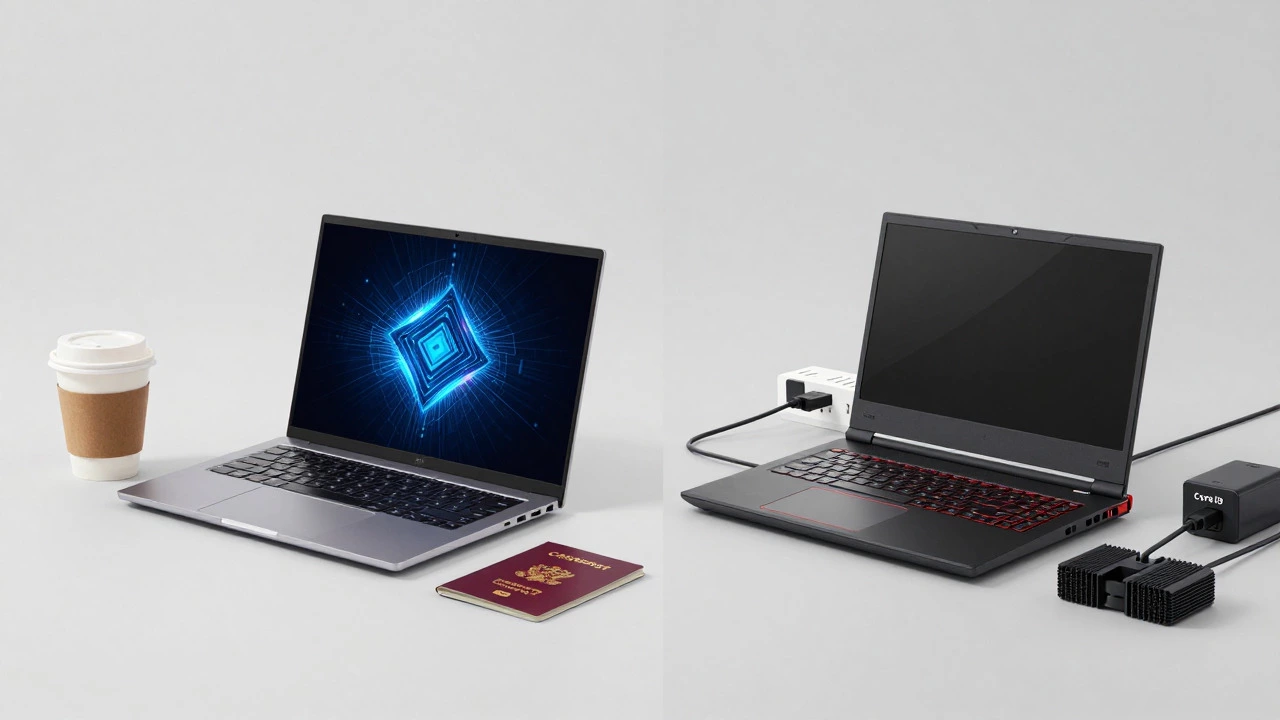
If you carry your laptop to coffee shops, classrooms, or client meetings all day, battery life matters more than peak performance. An i5 is engineered for efficiency. It uses less power during idle states and light tasks like web browsing or document editing. This translates to longer battery life-often 8 to 12 hours on a single charge for modern ultrabooks.
An i9, by contrast, demands more energy. Even when idle, its architecture may not scale down as aggressively as an i5. Under load, it drains the battery rapidly. You might get 4 to 6 hours of mixed use, or less if you’re pushing the system. If you rely on your laptop being unplugged for long periods, the i5 is the smarter choice. The i9 is best suited for users who stay near a power outlet or carry a heavy charger everywhere.
Which One Should You Buy?
Let’s cut through the noise. Most consumers do not need an i9. If you fall into one of these categories, stick with an i5:
- You primarily browse the web, stream Netflix, and use Microsoft Office.
- You play mainstream multiplayer games like Fortnite, Call of Duty, or Valorant.
- You want a lightweight laptop with all-day battery life.
- Your budget is tight, and you’d rather spend extra on RAM or SSD storage.
Consider an i9 only if:
- You professionally edit high-resolution video or 3D animation.
- You run virtual machines or compile large software projects regularly.
- You have the budget to spare and want the longest possible upgrade path for your hardware.
- You buy a laptop known for excellent cooling (like a Dell XPS 17, ASUS ROG Zephyrus, or Lenovo Legion).
Remember, a faster CPU doesn’t fix a slow SSD or insufficient RAM. Pairing an i5 with 16GB of RAM and a fast NVMe SSD will often feel smoother than an i9 crammed with 8GB of RAM and a sluggish drive. Balance your build.
Future-Proofing Your Purchase
Technology moves fast. An i5 bought today will still be highly capable in three years. Software optimization has improved dramatically, allowing newer applications to run efficiently on fewer cores. While an i9 might feel slightly faster now, the gap narrows over time as software becomes more efficient. Don’t overspend trying to future-proof against tasks you don’t currently do. Instead, focus on getting a machine with good build quality, a comfortable keyboard, and a display you enjoy looking at every day.
In the end, the "better" processor is the one that matches your actual usage patterns without breaking the bank. For 80% of users, the Intel Core i5 is the sweet spot of value and performance. Reserve the i9 for those who genuinely need its brute force-and are willing to manage the heat and battery trade-offs.
Is an i9 really twice as fast as an i5?
Not necessarily. In single-threaded tasks like web browsing or word processing, the difference is negligible. In multi-threaded tasks like video rendering, an i9 can be 50-100% faster due to having significantly more cores and threads. However, in gaming, the difference is often less than 10% because the GPU is the limiting factor.
Will an i9 laptop last longer than an i5 laptop?
Hardware longevity depends more on build quality and cooling than the CPU tier. In fact, an i9 might degrade slightly faster if it consistently runs hot due to poor ventilation. An i5 runs cooler, potentially extending the lifespan of internal components like capacitors and batteries. Both chips should easily last 4-5 years with proper care.
Can I upgrade my i5 laptop to an i9 later?
No. On modern laptops, the CPU is soldered directly onto the motherboard. You cannot swap an i5 for an i9 after purchase. You must choose the correct processor at the time of buying. This makes selecting the right initial configuration crucial.
Does an i9 require more RAM than an i5?
Technically, no. Both processors support the same RAM standards. However, because an i9 can process data much faster, it benefits more from having ample RAM available to feed it. If you pair an i9 with only 8GB of RAM, you create a bottleneck that wastes the CPU's potential. Aim for at least 16GB, preferably 32GB, with an i9.
Are i9 laptops louder than i5 laptops?
Yes, generally. Because i9 processors generate more heat, the laptop's fans must spin faster and more frequently to dissipate that heat. During intensive tasks, an i9 laptop will be noticeably louder than an i5 model performing the same task. Look for models with advanced cooling solutions if noise is a concern.