
Smartphone Upgrade Cost & Timing Calculator
Device Details
Financial Analysis
Current Monthly Cost
$0.00
If kept until Year 4
$0.00
Lifecycle Status
- Good Battery is performing well.
- Safe Software support active.
- High Resale value is still strong.
Recommendation
Enter your device details to see if it's time to upgrade or hold on.
You’re staring at the back of your phone. The battery dies by 4 PM. Apps stutter when you open three tabs. Meanwhile, every tech newsletter screams about the new flagship smartphone with its AI features and titanium frame. Do you buy it? Or do you keep using the device that still works, mostly?
In 2026, the answer isn’t just about wanting the latest specs. It’s about math, battery chemistry, and how much you value convenience over cash. Most people used to upgrade every two years. That habit is dead. Today, the average user keeps their phone for nearly four years. But should *you* wait that long?
The Real Lifespan of a Modern Smartphone
To figure out when to upgrade, you first need to know what “dead” means for a phone. A modern smartphone doesn’t usually break because the screen shatters or the processor burns out. It dies because of lithium-ion battery degradation.
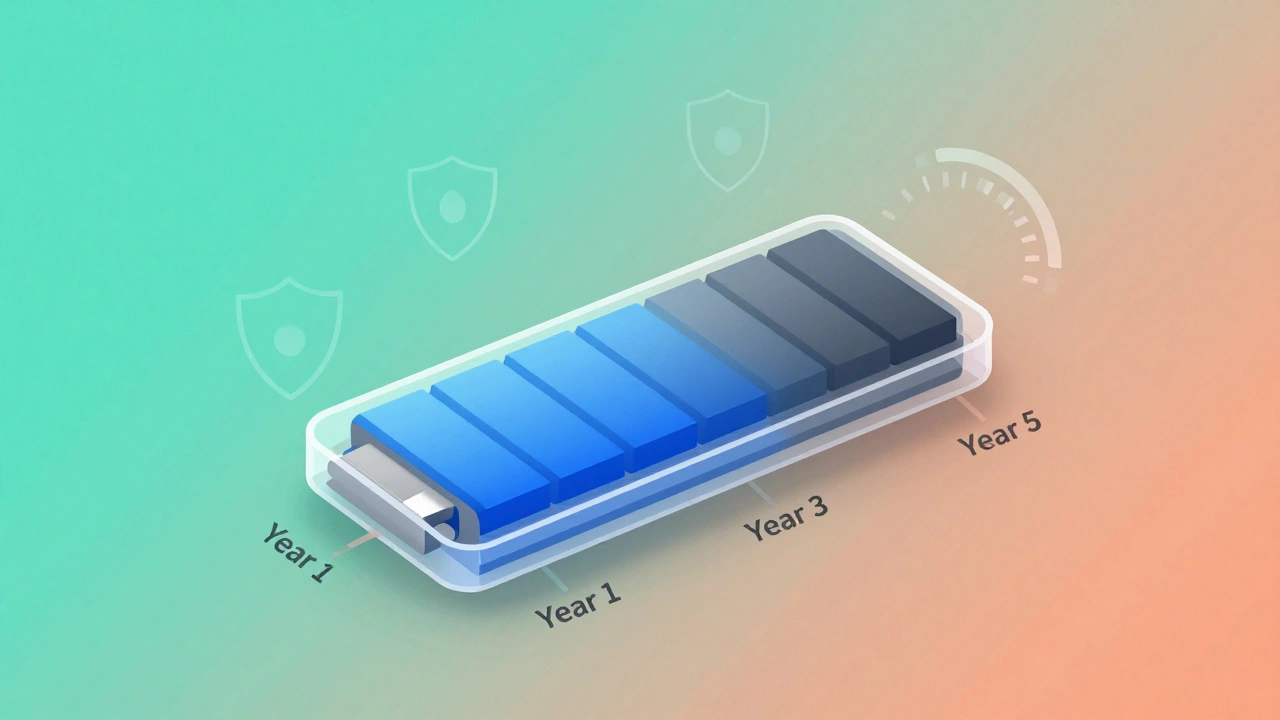
Lithium-ion batteries are rated for about 500 to 1,000 full charge cycles before they hold only 80% of their original capacity. If you charge your phone once a day, that’s roughly two to three years of decent battery life. After that, the phone might still have a powerful chip, but it shuts down unexpectedly or drains too fast to be useful without a power bank.
Here is the typical breakdown of a phone’s lifecycle:
- Years 1-2: Peak performance. Battery holds 90-100%. Software updates are frequent. This is the sweet spot for selling or trading in the device.
- Years 3-4: Noticeable decline. Battery health drops below 85%. You might notice slight lag in heavy apps. Major OS updates continue, but minor ones slow down.
- Year 5+: Functional but frustrating. Battery often fails security requirements for the latest OS versions. Storage fills up faster due to app bloat. Security patches may stop entirely.
If your phone is in Year 3, don’t panic. A $100 battery replacement can extend its life by another year or two. But if you’re in Year 5, the economics shift. You’re spending more on repairs and time than the phone is worth.
The Software Support Window: Your Hidden Deadline
Hardware is only half the battle. In 2026, software support is the real limiter. Phones become obsolete not because they can’t run apps, but because they can no longer receive critical security updates.
Apple typically provides iOS updates for five to seven years after a model’s release. Samsung has promised seven years of OS and security updates for its Galaxy S series starting with the S24. Google offers similar long-term support for Pixel devices. However, many mid-range and budget phones from smaller manufacturers still cap out at two or three years.
| Brand | Flagship Models | Mid-Range/Budget | Key Risk |
|---|---|---|---|
| Apple | 5-7 Years | N/A (Mostly Flagship) | High resale value makes early upgrades tempting |
| Samsung | 7 Years (S/Z Fold) | 4-5 Years (A Series) | Battery degradation often precedes EOL |
| 7 Years (Pixel 8+) | 3-5 Years (A Series) | Pure Android experience ages well | |
| Other Brands (Xiaomi, OnePlus, etc.) | 3-4 Years | 2-3 Years | Security risks increase post-support |
Once your phone stops receiving security patches, it becomes a liability. Banking apps may refuse to run. Malware protection weakens. For most users, this hard deadline arrives between year 4 and year 6. If you rely on your phone for work emails, mobile banking, or health data, upgrading before support ends is non-negotiable.
The Economic Sweet Spot: When Does It Make Financial Sense?
Let’s talk money. Smartphones depreciate rapidly. A new flagship costing $1,200 might be worth $600 after one year and $300 after three. Holding onto your phone longer maximizes the value you extract from that initial investment.
Consider the "Cost Per Month" formula:
Total Cost / Months Owned = Monthly Cost
If you buy a $1,200 phone and keep it for 24 months, you pay $50/month. If you keep it for 48 months, you pay $25/month. Even if you spend $150 on a battery replacement in year 3, your total cost is $1,350 over 48 months ($28.12/month). You’re still saving significantly compared to upgrading every two years.
However, there is a tipping point. Around year 4 or 5, the risk of catastrophic failure (screen crack, logic board issue) increases. Repair costs for newer models can exceed $300. At that stage, the monthly cost of repairing an old phone often exceeds the monthly payment of a new installment plan.
Also, consider carrier subsidies. Many carriers in North America and Europe offer "free" phones with contract upgrades. These deals often lock you into 24-month terms. While convenient, they rarely save money unless you negotiate aggressively. Paying upfront and keeping the phone longer almost always wins financially.
Signs It’s Time to Upgrade (Beyond Just Wanting New Features)
Don’t let marketing dictate your upgrade cycle. Listen to your phone. Here are the concrete signs that your current device has reached its end of life:
- Battery Health Below 80%: Check your settings. If your maximum capacity is under 80%, daily usability suffers. Replacement is cheap; ignoring it is costly in stress.
- Storage Anxiety: If you constantly delete photos or uninstall apps to free up space, your storage is a bottleneck. Modern apps require more room for caches and data.
- App Compatibility Warnings: When popular apps like Instagram, WhatsApp, or banking tools tell you your OS version is too old, your window is closing. They won’t warn you until it’s almost too late.
- Physical Damage Accumulation: Micro-cracks in the screen compromise touch sensitivity and structural integrity. Water resistance degrades over time. One drop could be the last straw.
- Sluggish Performance in Daily Tasks: Not gaming, but opening messages, switching apps, or taking photos. If simple tasks take seconds instead of milliseconds, the processor is struggling with modern software demands.
If you hit two or more of these points, it’s time to look at new options. If you only hit one (like battery), fix that specific issue first.
Should You Upgrade Now in 2026?
The smartphone market in 2026 is mature. Incremental updates dominate. The jump from iPhone 15 to 16 was noticeable. The jump from 16 to 17 is marginal for most users. Similarly, Android’s evolution focuses on AI integration and efficiency rather than raw speed boosts.
If your phone is less than three years old, hold off. The new features likely won’t change your daily routine enough to justify the cost. If your phone is older than four years, start planning. Research trade-in values now, even if you don’t buy immediately. Prices fluctuate, and having a target helps you avoid impulse buys during launch weeks.
Finally, ask yourself: What problem am I solving? Is it boredom? Fix it with a new case or wallpaper. Is it broken functionality? Fix it with repair or replacement. Don’t upgrade for status. Upgrade for utility.
Frequently Asked Questions
Is it better to upgrade my phone every 2 years or 3 years?
For most people, 3 years is the financial sweet spot. By year 2, your phone’s resale value has dropped significantly, meaning you lose more money by waiting. However, by year 3, battery health often begins to decline noticeably. Upgrading at year 3 balances maximizing resale value with maintaining good battery life. If you prioritize savings over convenience, extending to 4 years is viable if you replace the battery.
Does replacing the battery make an old phone feel new again?
Yes, often dramatically so. Battery degradation causes throttling, where the phone slows down to prevent unexpected shutdowns. A fresh battery restores peak performance and all-day battery life. For phones aged 2-4 years, a $80-$120 battery replacement can extend usable life by another 1-2 years, making it far cheaper than buying a new device.
When do smartphones stop getting security updates?
This depends heavily on the brand. Apple typically supports iPhones for 5-7 years. Samsung promises 7 years for its flagship Galaxy S and Z series as of 2024-2026 models. Google Pixels also offer 7 years of support. Budget phones from various manufacturers may only receive 2-3 years of updates. Once updates stop, the phone remains functional but becomes vulnerable to security threats, especially for banking and personal data.
What is the best time of year to buy a new phone?
The best times are shortly after major announcements (September for Apple, January-February for Samsung/Google) when previous models drop in price, and during holiday sales (Black Friday/Cyber Monday). Avoid buying during the first month of a new model's release unless you specifically want the newest hardware, as prices are highest and stock may be limited.
Should I buy refurbished phones instead of new ones?
Refurbished phones from reputable sources (like Apple Certified Refurbished or Samsung Renewed) are an excellent option. They often come with new batteries and seals, plus warranties. You can save 20-40% compared to new retail prices. Just ensure the seller guarantees battery health above 85-90% and offers a return policy. Avoid uncertified third-party sellers who may use low-quality parts.