
Roku Monthly Cost Calculator
Estimate your true monthly spending on Roku. Remember: The device itself has no monthly fee, but content does.
Comparison to Cable
Average US Cable Bill: ~$100-$150/mo
Hidden Costs Alert: Check your internet plan. HD streaming uses ~3GB/hour. If you have a data cap, excessive binge-watching may incur overage fees from your ISP, not Roku.
You just bought a shiny new Roku streaming device or smart TV that connects to the internet to stream media content, plugged it in, and got everything set up. Now you’re staring at your screen, wondering: "Do I need to pay them every month?" It’s a common worry because cable companies have trained us to expect a bill for simply existing. But here is the short answer that will save you some sleepless nights: No, there is no mandatory monthly fee for using a Roku device itself.
Think of your Roku like a smartphone. You don’t pay Apple or Samsung a monthly subscription just to use the phone. You pay for apps and services if you want premium content. The same logic applies here. However, saying "no fees" is only half the story. There are nuances about channel subscriptions, free ad-supported tiers, and optional add-ons that can make your bank account look different than expected. Let’s break down exactly what you pay for, what you get for free, and how to keep your streaming experience truly cost-effective.
The Core Truth About Roku Hardware Costs
When you buy a Roku stick, box, or a TV with built-in Roku software, that is a one-time purchase. Once you own the hardware, Roku doesn’t charge you to turn it on. There is no activation fee, no maintenance fee, and no "service charge" for keeping the operating system running. This is a huge selling point compared to traditional cable boxes, which often hide rental fees in fine print.
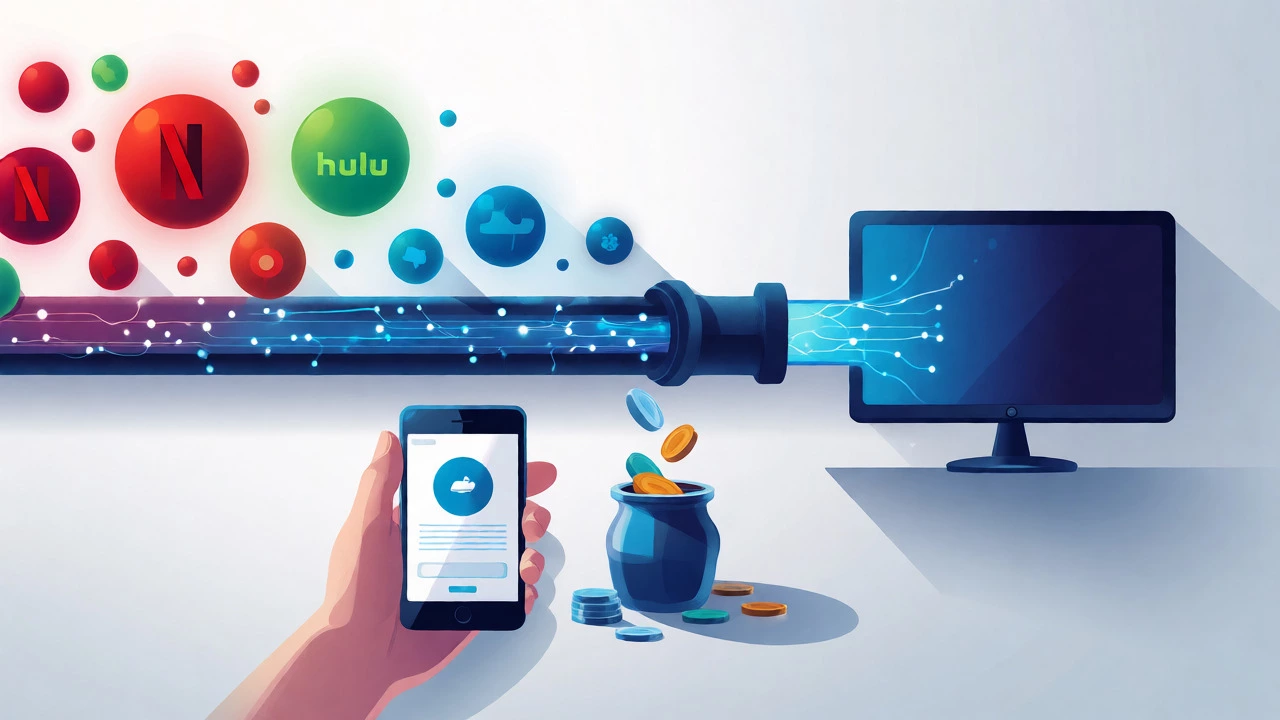
But wait-why do people ask this question so often? Because while the device is free to use, the content usually isn’t. If you sign up for Netflix, Disney+, or HBO Max, those are separate bills. They aren’t going to Roku; they’re going to the content providers. Roku is just the pipe through which the water flows. You pay the water company (Netflix) for the water, not the plumber (Roku) for holding the pipe open.
There is one small exception to watch out for: financing. If you bought your Roku through a retailer’s installment plan (like Affirm or Klarna), you’ll see monthly payments until the device is paid off. That’s debt repayment, not a service fee. Make sure you distinguish between paying off your gadget and paying for a service.
Free vs. Paid Channels: Where the Real Money Goes
Roku’s ecosystem is massive, hosting thousands of channels. These fall into two buckets: Free and Paid. Understanding this distinction is key to controlling your budget.
Free Channels: Yes, there are hundreds of completely free channels. Platforms like Tubi, Pluto TV, The Roku Channel, and Crackle offer movies, TV shows, and live news without charging a dime. How do they make money? Ads. Just like broadcast TV, you’ll sit through commercial breaks. For many users, especially cord-cutters looking to save cash, these free options cover 80% of their entertainment needs. You might be surprised by the quality of content available for $0.
Paid Subscriptions: This is where most of your spending happens. Services like Netflix, Hulu, Amazon Prime Video, and Paramount+ require a monthly or annual subscription. These fees go directly to the service provider, not Roku. When you cancel Netflix, your Roku still works perfectly for YouTube, Spotify, and free channels. You never lose access to the platform itself.
| Cost Type | Who Gets Paid? | Monthly Fee? | Example |
|---|---|---|---|
| Device Purchase | Retailer/Roku | No (One-time) | $39.99 for Roku Stick |
| Platform Access | Roku | No | Browsing menus, installing apps |
| Ad-Supported Content | Channel Owner | No | Tubi, Pluto TV, The Roku Channel |
| Premium Subscription | Content Provider | Yes | Netflix ($15.49/mo), Disney+ ($7.99/mo) |
| Live TV Service | Service Provider | Yes | YouTube TV ($72.99/mo), Hulu + Live TV |
Hidden Costs You Might Not Expect
While Roku doesn’t send you a bill, there are indirect costs associated with owning one. The biggest one is data usage. Streaming HD video consumes significant bandwidth. If you have a capped internet plan from your ISP (Internet Service Provider), heavy Roku usage could push you over your limit, resulting in overage charges. A single hour of HD streaming can use 3GB of data. If you binge-watch four episodes a night, that’s 12GB a week. Check your internet contract to avoid surprise bills.
Another potential cost is audio equipment. While Roku handles video well, its audio output depends on your TV or soundbar. Some older TVs struggle with certain Dolby Atmos formats unless you have compatible hardware. You might find yourself needing to upgrade your HDMI cables or sound system to get the full cinematic experience, though this isn’t a fee paid to Roku.
Finally, consider the cost of convenience features. Roku offers a feature called "Universal Search," which aggregates results across multiple platforms. It’s free. But if you want to record live TV, you need a USB hard drive plugged into your Roku Ultra or specific Roku TV models. That external storage is an extra cost, typically $50-$100 depending on size. Again, this is a one-time hardware cost, not a recurring subscription.
The Roku Premium Membership Myth
You might have seen mentions of a "Roku Premium" membership or heard rumors about a future fee. As of September 2026, Roku has experimented with various loyalty programs and bundles, but there is no standard mandatory "Premium" tier required to use the device. Occasionally, Roku partners with telecom providers (like T-Mobile or Verizon) to bundle subscriptions. In these cases, you’re paying for the bundle, not a standalone Roku fee.
Be wary of third-party sellers claiming you need a special license to use Roku. You don’t. Any authorized Roku device gives you full access to the entire channel store. Whether you bought a $20 Roku Express or a $200 Roku Streambar Pro, the user interface and available channels are identical. The price difference reflects hardware specs like resolution support (4K vs. 1080p), processor speed, and remote control features-not access rights.
How to Keep Your Roku Bill Low
If you’re worried about creeping costs, take control. Here’s a practical strategy to maximize value:
- Audit Your Subscriptions: Go to your Roku home screen and check which channels you actually watch. Cancel anything you haven’t opened in three months. Most services allow easy cancellation via the app or website.
- Leverage Free Ad-Supported TV (FAST): Channels like Tubi and Pluto TV now offer high-quality originals and classic hits. Rotate between free channels instead of paying for multiple niche services.
- Use Bundles Wisely: Companies like Amazon (Prime), Apple (Apple One), and Disney (Disney Bundle) offer discounts when you subscribe to multiple services together. Compare the total cost against individual subscriptions.
- Watch for Promotions: Roku often runs sales on devices during Black Friday or Prime Day. Buying a second-hand Roku from a trusted source can also save money, as long as it’s factory reset.
Remember, the goal is entertainment, not obligation. If a subscription stops bringing joy, cut it. Your Roku won’t judge you-it’ll just launch the next app you choose.
FAQs About Roku Fees
Do I have to create a Roku account to use my device?
Yes, you need a free Roku account to activate your device and download channels. Creating the account costs nothing. You’ll need an email address and password. Without an account, you can’t install apps or sync preferences across devices.
Can I use Roku without Wi-Fi?
You can connect most Roku devices via Ethernet cable for a stable connection, but you still need an active internet service. Without any internet connection, you cannot stream content. Some newer Roku TVs can mirror content from a phone via local network casting, but this still requires a router and internet for most functions.
Are there ads on free Roku channels?
Yes, free channels like The Roku Channel, Tubi, and Pluto TV are ad-supported. You will see commercial breaks similar to traditional television. Some channels offer an option to remove ads for a small monthly fee, but the base viewing experience is free.
Does Roku charge for 4K streaming?
No, Roku does not charge extra for 4K resolution. However, the content provider (like Netflix or Amazon) may require a higher-tier subscription plan to access 4K quality. Also, your TV must support 4K HDR to display it properly.
What happens if I stop paying for a channel subscription?
If you cancel a paid subscription like Netflix, the channel remains installed on your Roku, but you lose access to its content. You can reinstall it later if you resubscribe. Other free channels continue to work normally.